
Diachromie 1.5 is out! You can get the update from your download center. Below are the release notes and details regarding look continuity. Enjoy!
New Features
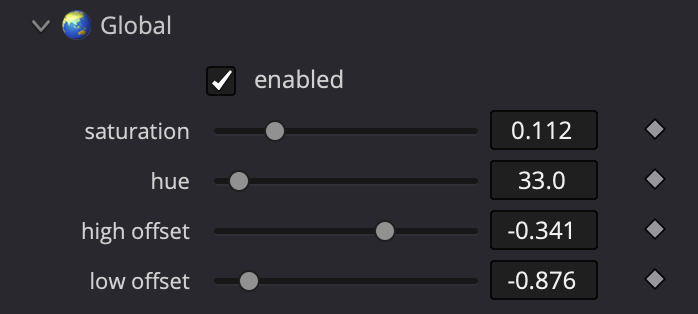
- High Offset: Introduces the ability to protect highlights from overall color cast adjustments in the Color Tone Curves Global module, particularly beneficial for HDR grading.
- Low Offset: Protects lowlights from overall color cast adjustments in the Color Tone Curves Global module.
Major Enhancement
Smoothing algorithm
The color rendering precision has been significantly improved, enhancing overall smoothness and stability. It reduces artifacts and softens discontinuities in gradient transitions and additive mixing situations.
This update resolves the color fringing artifact observed in out-of-focus gradient transitions between opposing hues.
Upgrades
- Skin and lips selection: Selection has been refined for smoother transitions.
- Smarter and lighter GPU VRAM footprint: Reducing overall GPU VRAM footprint and introducing smarter memory management means increased stability and an extra boost of performance all around.
- Concerning Windows and Resolve only: If GPU memory is fully exhausted, the plugin will now stop with an explicit alert instead of producing incomplete results.
- Simplification of the color management panel: Like Diaphanie 1.3, the panel now explicitly shows your input and output color spaces. Internal LUT exports always follow your color management settings.
- Color volume visualization: Cube’s appearance has been improved on MacOS.
Bug fixes
- Fixed an incorrect roundtrip for BLACKMAGIC | BM Gen.5 Film curve / BM Wide Gamut RGB color space.
- Fixed an incorrect colorspace roundtrip that could cause color spill on black-and-white images.
- Fixed a display issue occurring when both Curve and Cube monitoring tools were enabled on macOS Intel x86_64.
Notice on Look Continuity
Diachromie 1.5 is a look-breaking update. After converting your Presets using our online Preset Converter, some adjustments may be necessary to ensure the continuity of your Looks. For ongoing projects, please assess carefully before upgrading. Note that installing a newer minor version will not automatically replace existing ones; they will coexist within your grading suite.
- Contrast: Perfect match, no adjustments needed.
- Color Tone Curves: Perfect match, no adjustments needed.
- Vertex Transformations: Look Breaker
- The improvement of the smoothing algorithms introduces a minor, yet measurable, density shift of low saturated colors. The change will be more noticeable the further you have pushed the color density adjustments. In most cases, the overall visual identity of your look is not compromised.
- Selective color guideline: Partial Continuity
- Refining skin and lip selections for smoother transitions introduces minor shifts. A close match can be achieved manually.
- Effects: Perfect match, no adjustments needed.
For more details about Look Continuity, visit our dedicated page.
What’s coming ?

Proud to announce we’re bringing Linux support to our plugins on both Resolve and Baselight.
A beta version will soon be available to test and give feedback.
Interested? Contact us at beta@hal-picture.com