
Diaphanie 1.3 is out! You can get the update from your download center. Below are the release notes and details regarding look continuity. Enjoy!
New Features
- Grain Temporal Coherence : Introducing a new and unique temporal blend control to customize the grain variability from frame to frame.
- Grain Anamorphic Squeeze : Easily blend your grain into any anamorphic footage.
Major Enhancement
Following valuable feedback from early adopters, we have improved the Halation and Diffusion algorithms to gain in precision, control and avoid glitches on very high values. Advanced modules has been completely overhauled to preserve quality, fully eliminate these artifacts, and significantly enhance overall performance.
This is a significant rework of the highlight separation feature, including the addition of a more intuitive relative EV scale for the separation threshold.
Halation
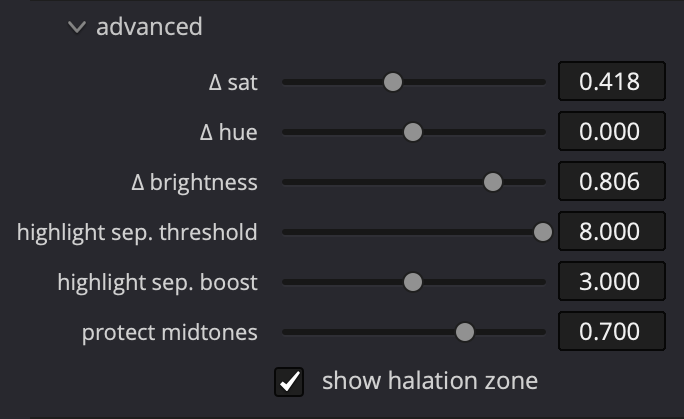
- New protect midtones slider : add control over the influence of halation in the midtones and the resulting loss of definition.
- Highlight separation split in two : Threshold in EV above mid grey and Boost amount in EV.
- New hue fine tune slider : add more control around film-like halation hue.
Diffusion
- Highlight separation split in two : Threshold in EV above mid grey and boost amount in EV.
- More robust diffusion saturation enhancement.
Upgrades
- Smarter and lighter GPU VRAM footprint: Reducing overall GPU VRAM footprint and introducing smarter memory management means increased stability and an extra boost of performance all around.
- Concerning Windows and Resolve only: If GPU memory is fully exhausted, the plugin will now stop with an explicit alert instead of producing incomplete results.
- Simplification of the color management panel : No more checkboxes. The panel now explicitly shows your input and output color spaces, even when working in ACEScct. LUT export from the plugin now follows your color management settings.
- Grain local influence from -4EV to +6EV : An extra slider and clearer labels make local influence easier and more precise to tweak.
Bug fixes
This update addresses some minor reported bugs:
- Fixed a repetitive pattern occurring with small grain sizes or high resolutions.
- Fixed an incorrect color management roundtrip for Blackmagic Gen.5 color space.
Notice on Look Continuity
Diaphanie 1.3 is a look-breaking version. Look continuity requires manual adjustments after conversion (using the online Preset Converter). For ongoing projects, please assess carefully before deciding to upgrade.
- Spatial Equalizer: Perfect match, no adjustments needed.
- Halation: Look Breaker:
- Highlight separation rework is affecting halation appearance even at default values, please match halation visually. A close match can be achieved.
- Diffusion: Partial Continuity:
- Diffusion without custom enhancement setting will match.
- Highlight Separation and Saturation enhancements have undergone a redesign that prevents mathematical match. Close match can be achieved manually.
- Color Temperature matches.
- Grain: Partial Continuity
- Grain won’t match pixel to pixel, but grain characteristics and visual impression are stable.
For more details on Look Continuity, you can read our dedicated page.